Look at the new booking form before you switch your account 2026-10-23
For operators, office, marketing
A new booking form is a matter of trust. It is the page where your customers spend money, so nobody wants to switch without having seen how it looks with their own trips, their own services and their own colours. That is what the preview is for: you append a parameter to a link of your booking form and walk through the new version, while everything stays as it is for everyone else.
One parameter, no switch
Take any link of your booking form and append ?booking_form_version=2. The form opens in the new layout - with your real sessions, prices, accommodations and additional services. The setting in your account stays untouched, and everyone using the normal link still sees the familiar form.
The parameter stays with you through the steps: services, participants, the person registering, summary and confirmation page - all in the version you are looking at. It works the other way round as well: with ?booking_form_version=1 you look at the classic form even when your account already runs the new one. That way you can compare both in two browser tabs.
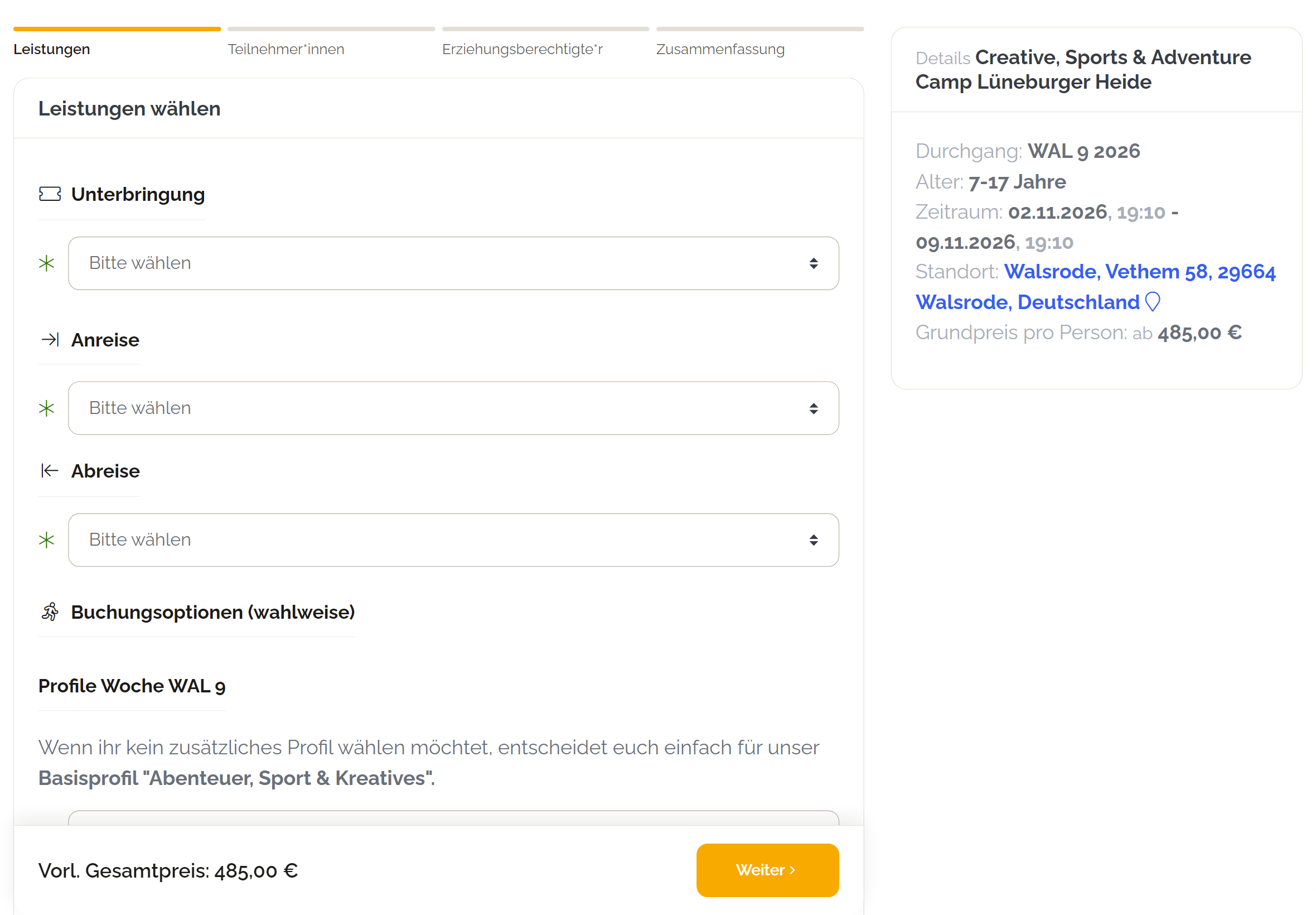
This is what the new booking form looks like:
What is different in the new version
The booking is split into clear steps, and a step indicator always says where you are and what is still to come. The services come first: accommodation, arrival and departure, additional services are chosen before the details of the participants and the person registering. So whoever books knows the price of the trip right from the start.
At the bottom an action bar follows along: it carries the preliminary total and the next button - on a phone always visible, without scrolling. The fields are larger, the services are built to be tapped, and the details of the trip sit in a collapsible card on a smartphone instead of a long column. On a desktop they stay as a sidebar next to the form.
Nothing changes about your data: same fields, same mandatory entries, same confirmation emails, same bookings in the backoffice. It is the same booking, only guided differently.
Switch when you are ready
Once the preview has convinced you, switch your account to version 2 under account settings → booking system → public settings. The hint about the preview parameter including an example link is right there, so you do not have to look for it. The switch applies per account and can be taken back at any time - your embeds on the website stay as they are, they are the same links.
The new layout is available for the booking forms for children and youth, for adults and families, for events and tickets, for group and program offers and for hotel bookings. A few special forms still run classic - which the preview shows you right away.
Author: Mathias Methner